
Begin with visibility
Confirm the correct site, camera and time range and the role’s allowed scope. Video walls and event journals serve different purposes: stream playback is not proof that events are being stored.
Review an event
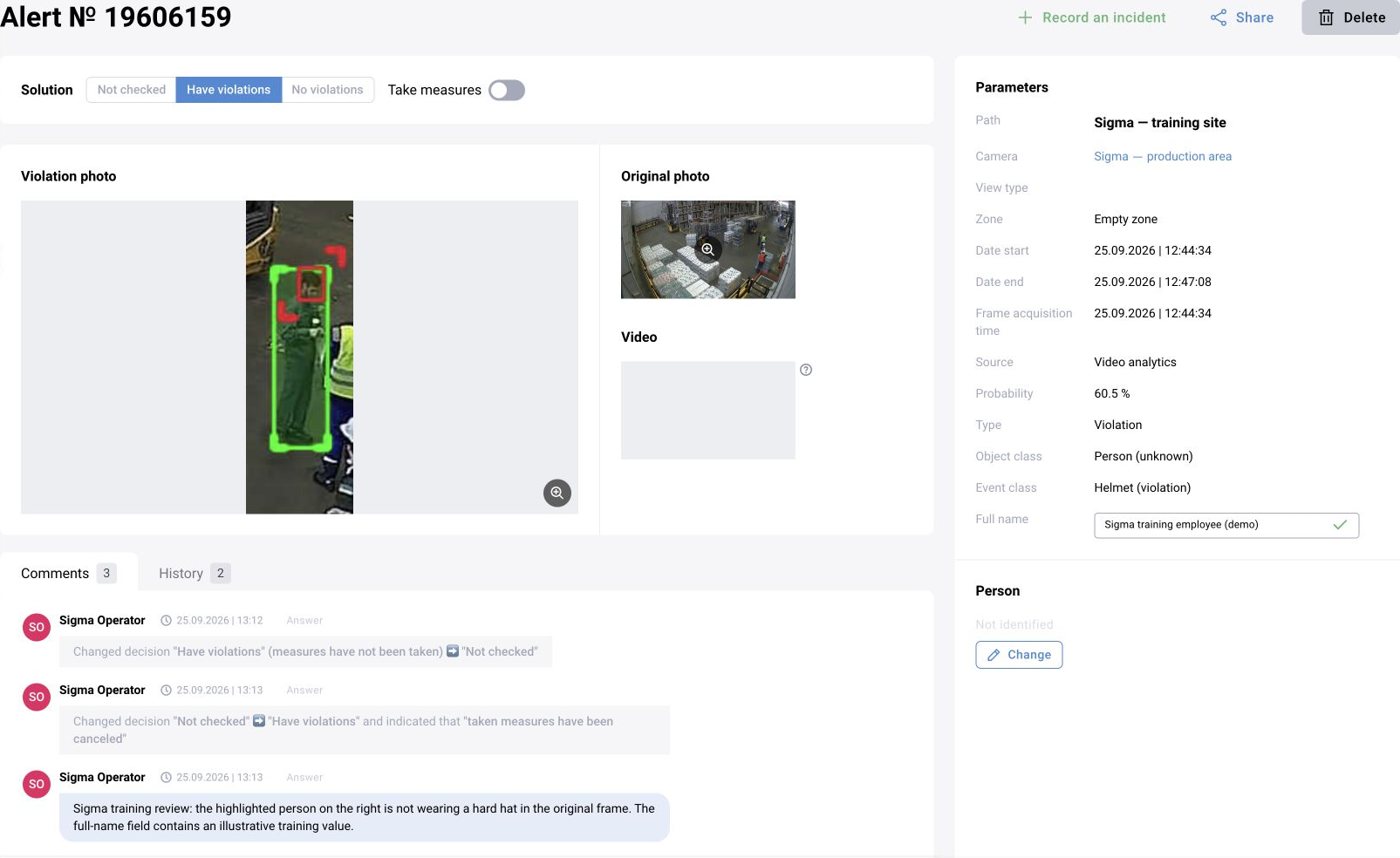
Open the event card, inspect the available evidence and context, and compare the observed situation with the scenario’s event definition. Check camera/time identifiers and note missing or ambiguous evidence.
Record a decision
Use the configured verification actions and comments. Apply bulk changes only to the intended selection after reviewing filters and scope. The exact statuses and export options depend on the release.
Escalate recurring issues
Record the source, interval, example event and expected behaviour. Route stream/media faults to operations and scenario-quality issues to the analytical team. Do not attempt to solve access or infrastructure faults by changing event labels.
Verify the saved decision and history
After submitting a decision, reopen the record and check the saved status, comment and history, including who changed it and when. A decision confirming a violation and a record of measures taken are separate actions. When evidence is missing or ambiguous, follow the configured additional-review process rather than assuming confirmation.