Presets: classes, thresholds and result type
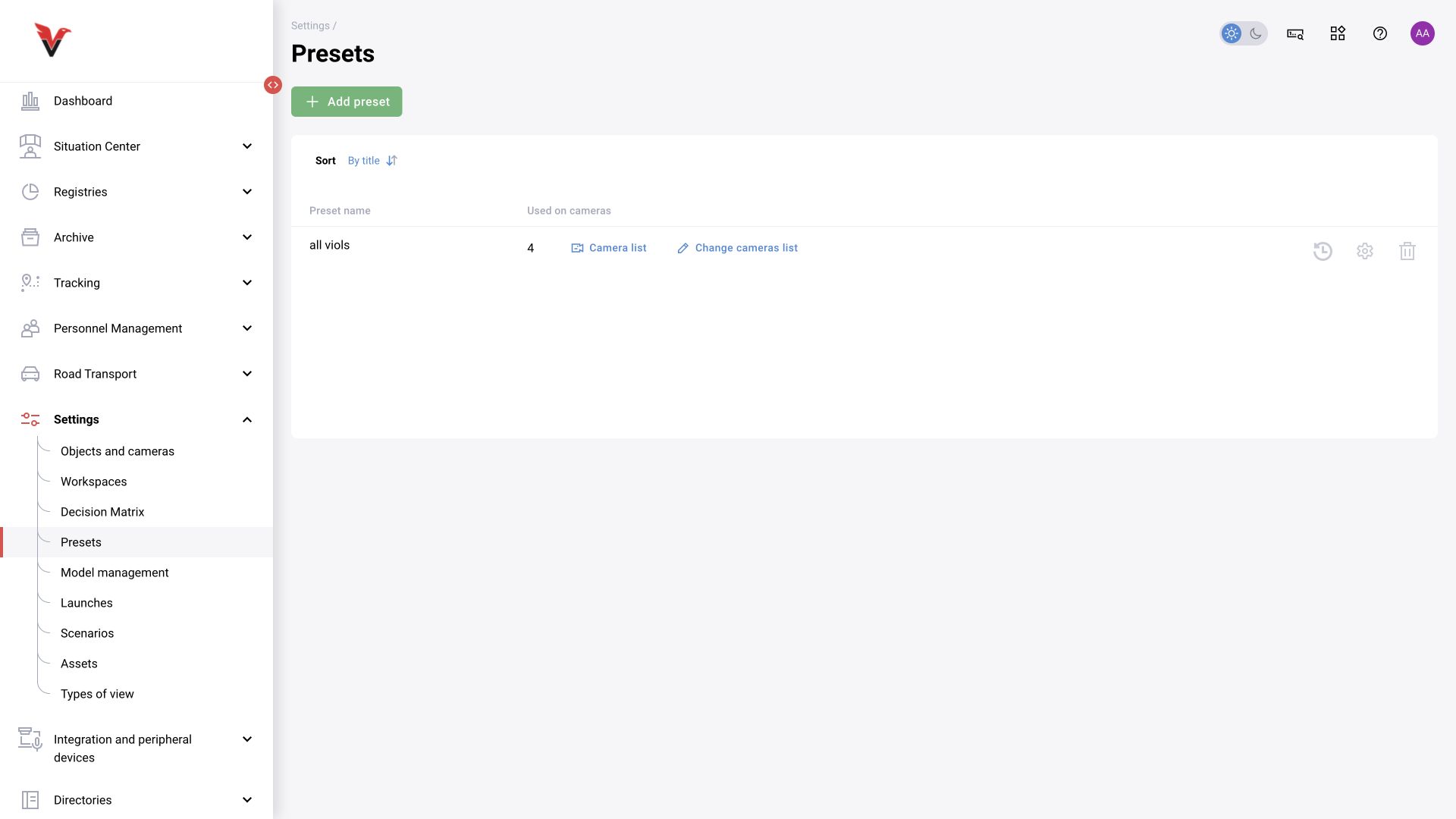
Path: Settings → Presets, /settings/presets.
A preset is a named set of detectors in use and their parameters. It can be applied to multiple cameras with the same task. Editing a shared preset affects the cameras that use it: review their list/count before saving.
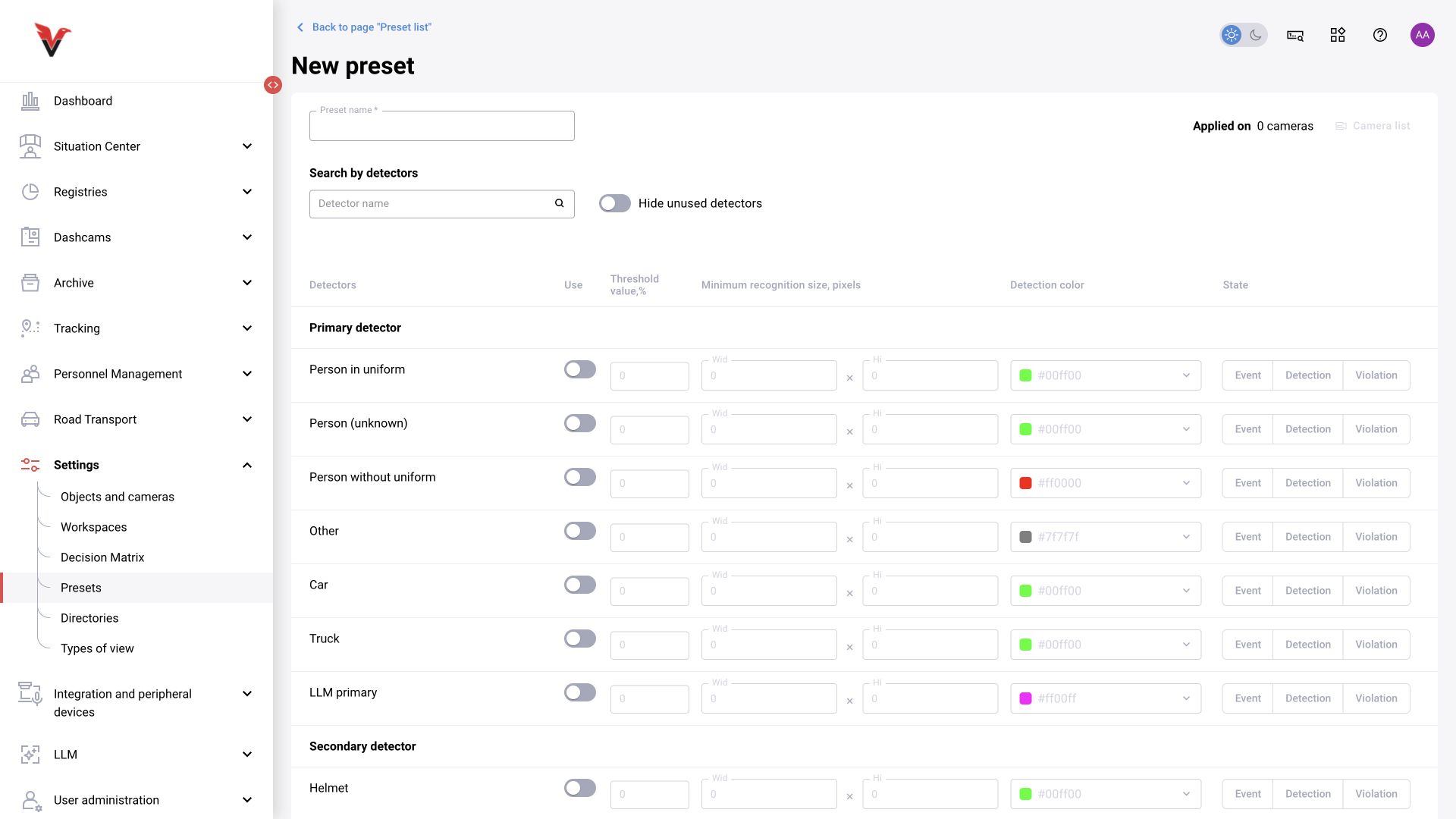
| Field | Meaning | How to fill in |
|---|---|---|
| Name* | Purpose of the set | Sigma — PPE in the production workshop |
| Used on cameras | Scope affected by the change | Open the list and check which views use this preset |
| Search by detector | Find a row in the catalog | Class name; the filter does not enable a detector automatically |
| Hide unused | Simplifies viewing | Enable after selecting classes to check the final set |
| Use | Whether the class is included in the preset | Select only the required classes |
| Threshold, % | Minimum score for the selected class | A percentage. Raising the threshold excludes more low-confidence recognitions but may miss relevant cases |
| Minimum recognition size — width / height | Excludes objects that are too small | Pixels, not a percentage of area. Choose based on object sizes in an actual frame |
| Color | Class display color | HEX code; does not affect the class meaning |
| State | How to interpret the result | “Detection”, “Event” or “Violation” |
Primary categories describe an object; secondary categories describe a property or situation. For example, the primary object “Person” may be used for a secondary PPE violation property. Select a compatible pair from the catalog for this installation. An invented name cannot replace a missing category code.
Detection is a finding used in processing; it does not necessarily mean a violation must appear in the log. Event is a recorded fact. Violation is a fact intended for the corresponding processing and decision. The subsequent decision matrix may override the final type.
Configuration sequence: name → required primary and secondary classes → thresholds and sizes → states → save → assign to a camera → check on examples. Start with parameters agreed for the installation, then change one factor at a time and compare results. Lowering all thresholds to zero to “find events” is a poor diagnostic method.
The catalog depends on the connected models. The inspected form contains people/clothing, vehicle and LLM classes; this does not promise an identical catalog under every license. According to closed issue BOXD-4876, the API also contains a preset change log and bulk operations; API availability does not imply a separate button in every user form.