Decision matrix
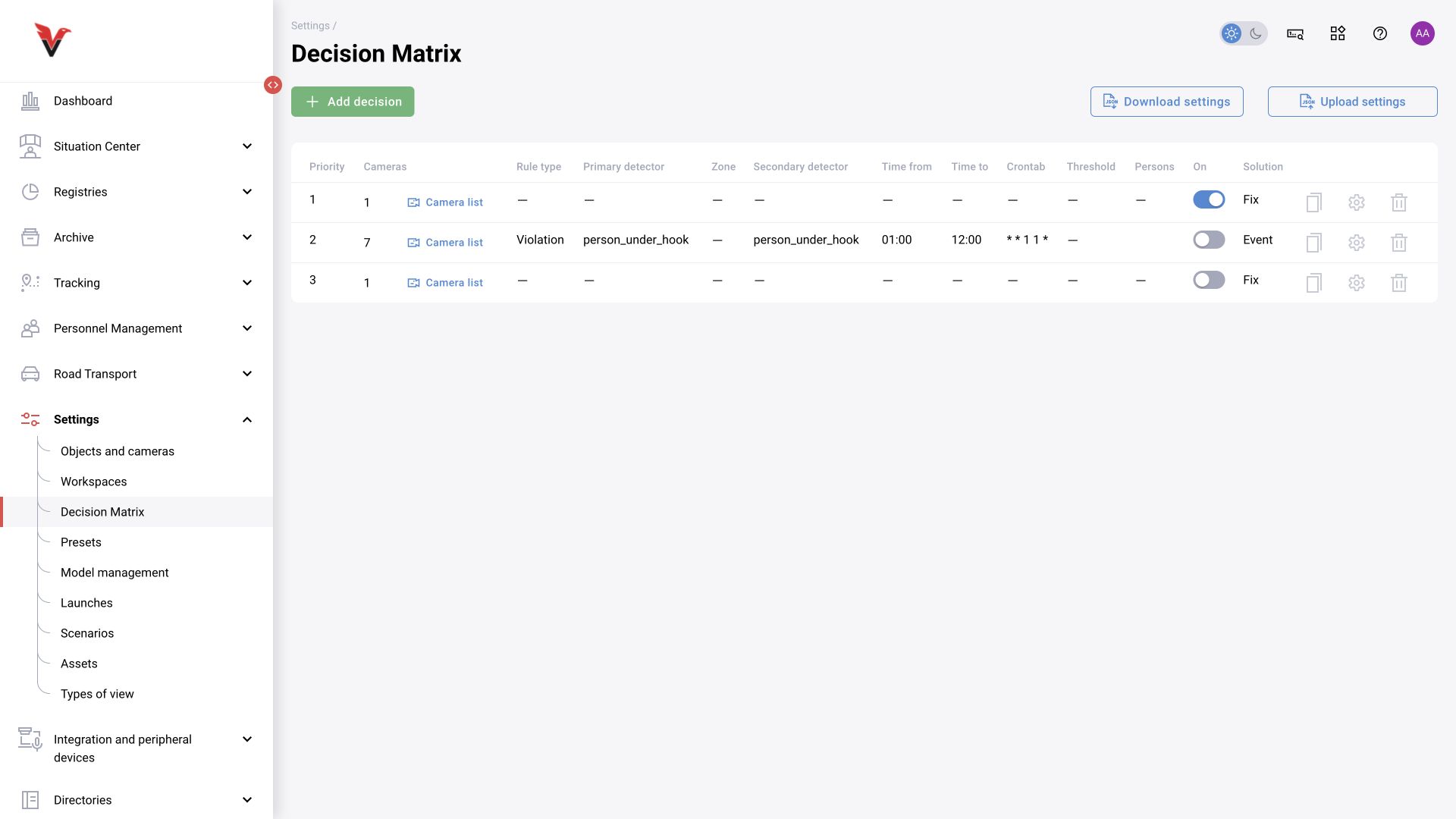
Path: Settings → Decision matrix, /settings/decision-matrix.
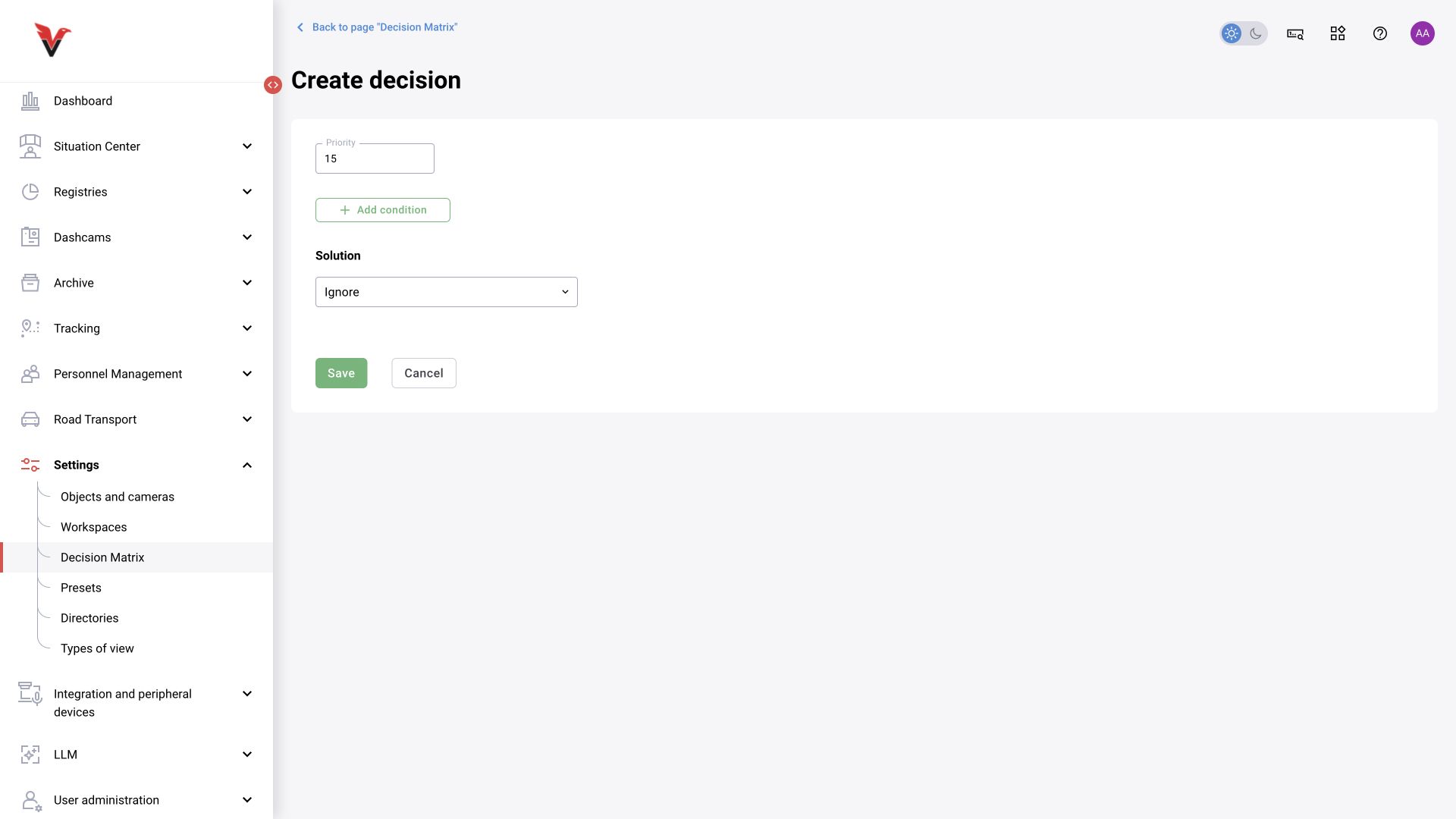
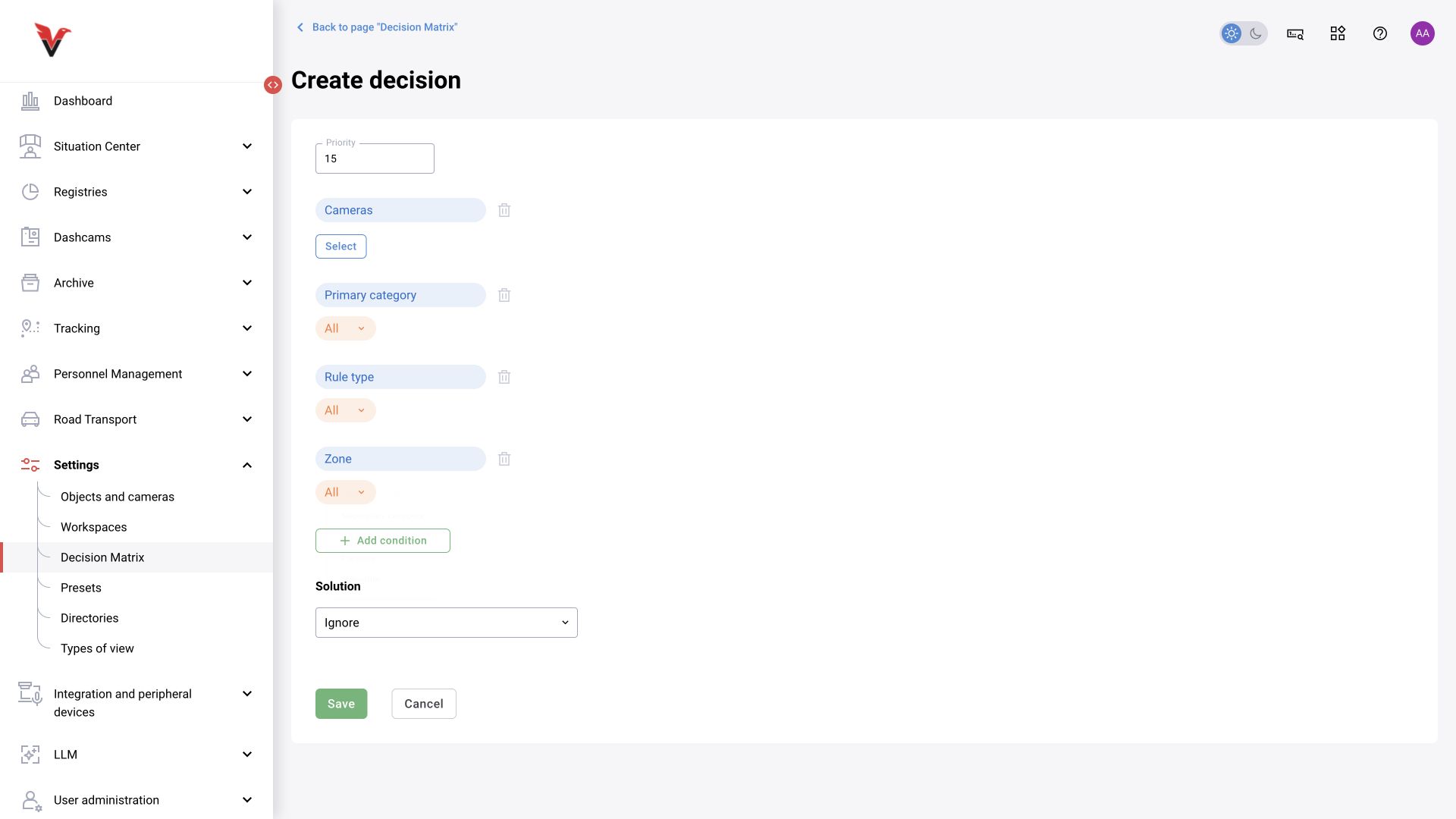
The matrix receives analytics output, evaluates conditions, and decides whether to record it, ignore it, or change its type. It does not draw zones or train a model. The current form uses the Add condition builder.
Rule fields
| Field / condition | Meaning | Input |
|---|---|---|
| Priority | Rule evaluation order | An integer; the deployment guide states that a higher priority is evaluated first. Do not leave competing rules at equal priorities without checking the result |
| Camera | Source restriction | Select one or more cameras. Several cameras within one condition do not require simultaneous events on all of them |
| Rule type | Incoming result type | All or the appropriate event/violation option |
| Primary category | Object class | Select from the catalog or choose All |
| Secondary category | Attribute/situation | Select the corresponding class or All |
| Zone | Frame region | A specific zone or All; check its association with the selected cameras |
| Probability → Greater than | Score threshold | A number; the current form's hint says 0 means any value. This is not an equals zero field |
| Persons | Identification condition | Any, or a supported mode for recognized/unrecognized persons with selected entries |
| Schedule → Day of month | Calendar days | * — all; 1-5 — range; 1,6,11 — list. These are the exact examples shown by the form |
| Schedule → Month / Day of week | Calendar restrictions | Every or selected values |
| Schedule → Time | Time-of-day restriction | Not set or Set. For the latter, fill in From and To in HH:MM |
| Decision | Action on a match | One of the four options below |
| Decision | Behavior according to the functional description |
|---|---|
| Ignore | The matrix rejects the matching alert; use the corresponding Trash tab for diagnosis |
| Record | Preserve the incoming type: a violation remains a violation and an event remains an event |
| Event | Reclassify the matching result as an event |
| Violation | Reclassify the matching result as a violation |
According to the Confluence description, rules are evaluated by priority until the first match, after which evaluation stops. Conditions within a rule form the required combination. If you need alternatives made up of different combinations, create separate rules with an explicit order.
Sigma example. You need to record missing hard hats in a workshop but process the same result differently in a selected safe area. Create a specific rule for the relevant camera/zone and class with a higher priority, followed by a more general rule. If all remaining results must be saved, provide a final unrestricted Record rule. This final policy is described in Confluence; apply it deliberately according to the site's requirements.
Do not set Ignore without conditions unless you intend to reject everything that reaches that rule. Do not assume that reordering rows in the table necessarily changes the numeric priority.
After a change, test a matching case, a nonmatching case, an adjacent camera, a time boundary, and the record in rejected-item Trash. Copying a rule, importing/exporting, and changing its state all require checking the resulting conditions. BOXD-4662 describes creating a disabled copy with lower priority; no actual copy was created during this review.