
Reports
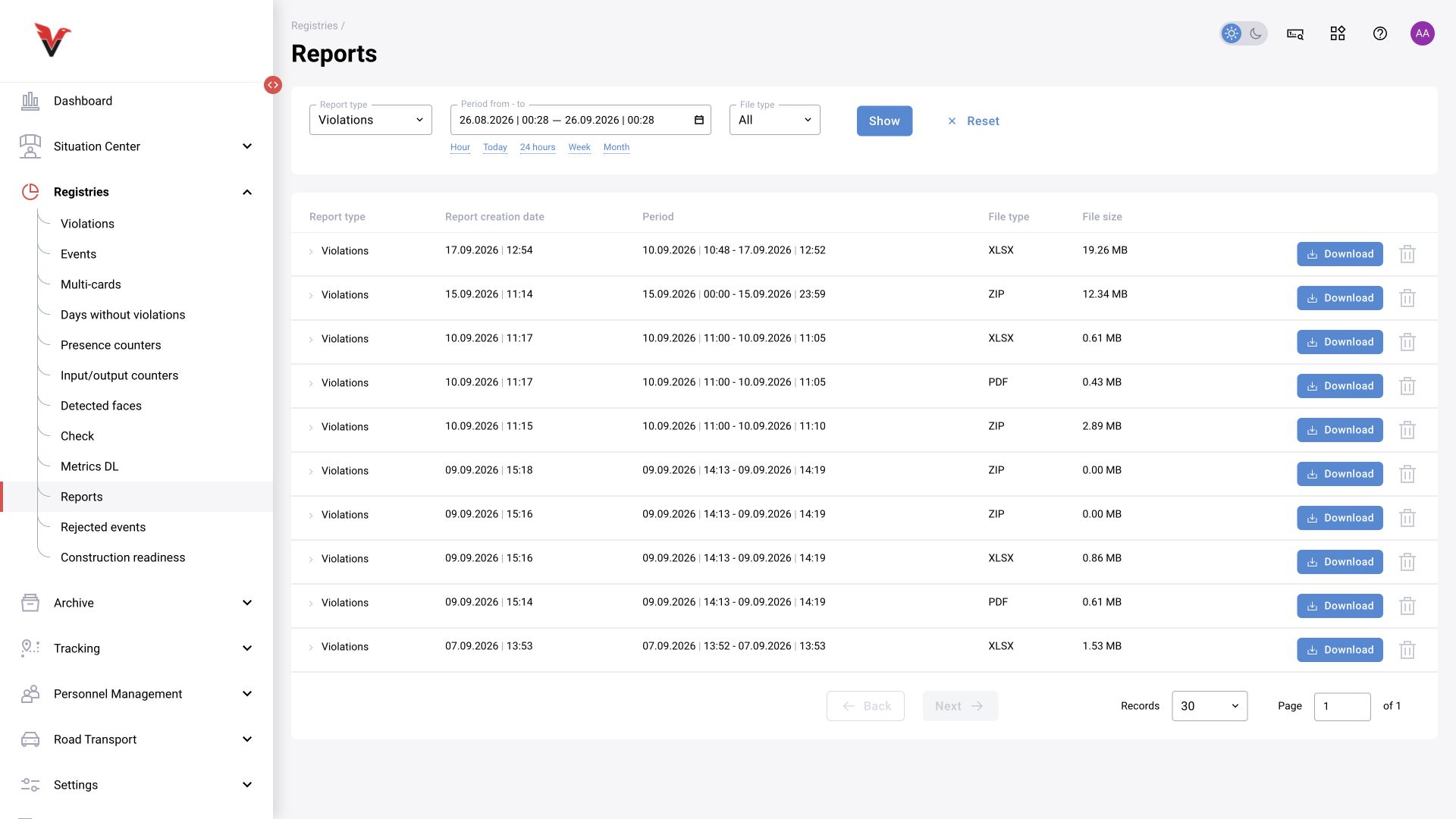
Path: Logs → Reports, /reports.
This section stores generated report results. Select the report type, period and file type, then click “Show”. Find the required result by generation time and format. If an export is started from a log, wait for it to finish; a background job does not yet mean the file is ready.
For a reproducible report, record the period and time zone, cameras, categories, decision, additional filters used and export date. Two files may differ because events were reviewed later or users had different access scopes. The administrator configures report retention time and storage limits.
BI and DataLens: BOX 3.2.1 scope
A custom BI report can group events by camera, category and review outcome. The following sections describe the BOX 3.2.1 schema documented on 7 September 2026: event-storage 1.6.4, camera-storage 1.5.9, counter-storage 2.0.4, monitoring2 1.1.4 and DataLens UI 0.795.0. Confirm schema compatibility separately for other BOX 3.2 builds and for BOX 5.0.
In this configuration, BI reads ClickHouse. Events, reference data and monitoring share one connection; counters use a separate connection. A direct cross-instance table join is not assumed. Before configuration, obtain connection settings and a read-only account from the installation administrator, with an appropriate data scope and workload limits.
Check component versions and available tables, then create personal copies of datasets and charts. Restoring the supplied dashboards may replace their standard datasets, so keep custom changes separately. The expected result is an independent BI dataset whose figures have been reconciled with BOX for the same period and filters.
Event fields and reporting boundaries
In default.event, each row represents an event record. Row counts are not people counts. Check event_id uniqueness in your own selection: observing uniqueness in one installation does not establish a database uniqueness constraint.
In the documented schema, timestamp uses UTC. Specify a time zone explicitly and use a half-open interval [start, end): include the start and exclude the end. For a local calendar period, replace UTC at both boundaries with the reporting time zone. Do not add a manual hour offset after a time-zone conversion. Apply a timestamp filter before grouping or joining.
| Field / table | Meaning |
|---|---|
| event_id / camera_id | Event and camera identifiers. |
| confirmation_status | NO_STATUS: not reviewed; CONFIRMED: confirmed; DENIED: rejected; WITHOUT_REVIEW: without review. |
| pr_obj_zone | Zone type code (zid), not the unique identifier of a drawn contour. |
| pr_obj_sec_obj_sec_category_ru_name / pr_obj_sec_obj_sec_category_en_name | Secondary category labels stored in the event; they may differ from the current reference data. |
| default.cameras | Camera reference data: camera_id key, camera_name and object_name labels. |
| default.camera_zones | Camera zones: camera_id + zid can match several contours. |
Example: events and the rejected share of reviewed events
This SELECT example targets the stated schema. Replace the dates and time zone with the required period, agree query limits and run it with a read-only account. The example selects one week in UTC. It illustrates the calculation; validate its result on your own installation.
The denominator is CONFIRMED + DENIED only. NO_STATUS and WITHOUT_REVIEW are excluded. If there are no reviewed events, the percentage is NULL. Do not sum numerical event identifiers to calculate shares.
The rejected share describes decisions in the reviewed sample. It is not detector accuracy, precision or recall, and does not automatically represent all incoming events.
SELECT
    count() AS event_rows,
    countIf(confirmation_status = 'CONFIRMED') AS confirmed,
    countIf(confirmation_status = 'DENIED') AS denied,
    countIf(confirmation_status = 'NO_STATUS') AS awaiting_review,
    countIf(confirmation_status = 'WITHOUT_REVIEW') AS without_review,
    round(
        100.0 * countIf(confirmation_status = 'DENIED')
        / nullIf(countIf(confirmation_status IN ('CONFIRMED', 'DENIED')), 0),
        1
    ) AS denied_share_of_reviewed_pct
FROM default.event
WHERE timestamp >= toDateTime('2026-09-01 00:00:00', 'UTC')
AND timestamp < toDateTime('2026-09-08 00:00:00', 'UTC');Joining reference data and reconciling results
Reduce reference data to one row per join key before adding labels. For cameras, the key is camera_id; for camera_zones, it is camera_id + zid. Joining events directly to several rows with the same key multiplies rows and distorts aggregates.
Using any(name) after GROUP BY camera_id, zid selects an arbitrary label from matching zones. It can prevent row multiplication, but cannot identify the exact geometric contour for an event. Account for the hierarchy in object_tree_cameras: the table can include ancestors and the root. Select a specific object_observation_id, or use owner=true when the owning object is required.
A LEFT JOIN can preserve an event when its camera label is missing. Display the identifier when no name is available, checking both NULL and empty values according to join settings. Reference data can briefly be empty while it is rebuilt. Events from a deleted camera may remain until the retention policy removes them.
- Record the period, time zone, cameras, categories, statuses and read time.
- Compare count() and the number of distinct event_id values before and after adding reference data. Label joins must not increase event counts.
- Reconcile a small sample with the BOX event log, accounting for access scope. ClickHouse access must be restricted separately; a UI role alone does not prove that SQL is filtered.
- For discrepancies, check later operator decisions, synchronization delays, reference-data changes and the actual retention horizon.
- Save the query, parameters and control result with your custom BI dataset.