
Detection, event, and violation
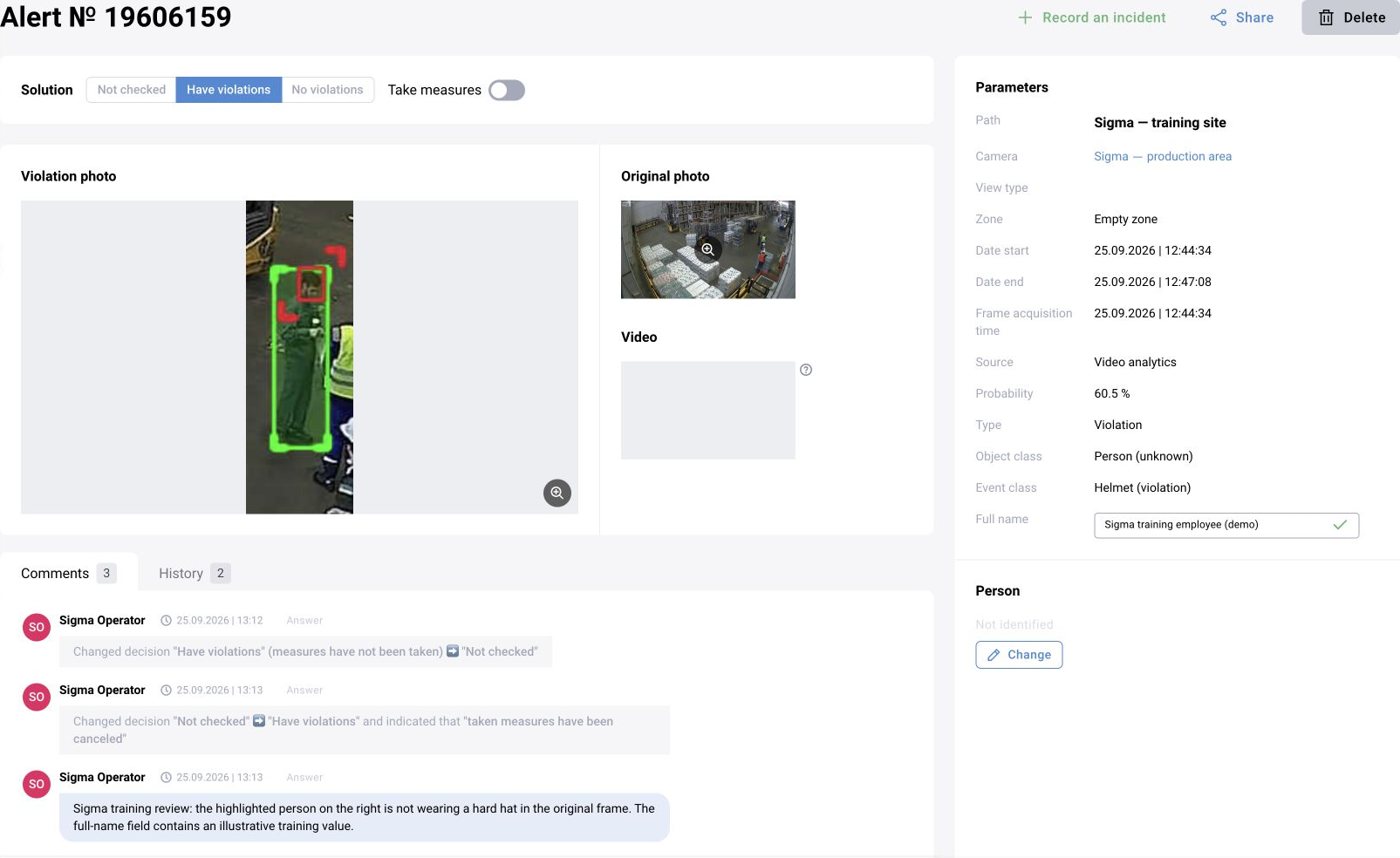
A detection describes an identified object or attribute. A processing rule or scenario determines whether to create an event and of which type. A card of type violation does not yet mean an operator has confirmed the violation.
Distinguish category, model confidence, review status, extended status, and the measures-taken flag. These fields answer different questions and do not replace one another.
Find and review the card
Open the relevant journal and set the period, camera or site, type, and status. Open the card and compare the source, time, zone, and category. Enlarge the original frame; view an available video clip if necessary.
Complete required fields, select a decision, and leave a comment describing the observed evidence. After saving, reopen the card and history. Set the measures-taken flag after carrying out the corresponding action under the applicable procedure.
Decision matrix and processing rules
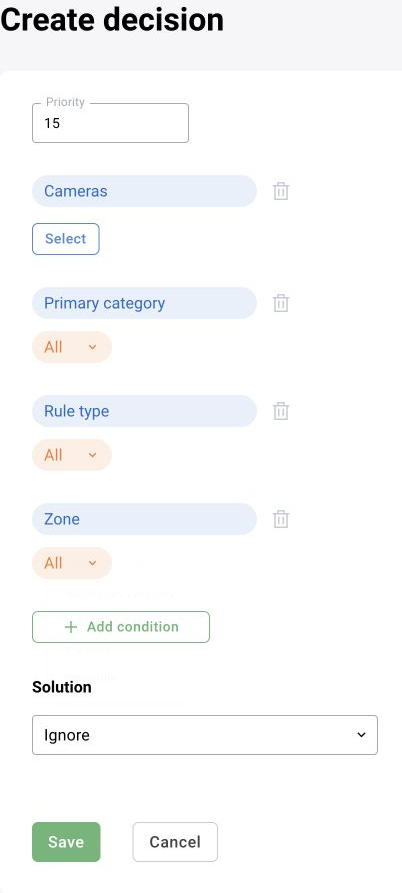
In releases with a decision matrix, open the rule list and find the applicable rule by site, camera, and categories. Check priority, zones, operating times, and the outcome: record or skip.
Before changing anything, record the original values. Change one condition and test matching and nonmatching episodes. A rule's time filter is not automatically a timer for a continuous violation.
In BOX 5.0, some logic may be implemented by scenario blocks. Check where a result is filtered and an event is created so that the same condition is not applied twice.
Operator and LLM verification
For automatic verification, configure the prompt type, input image, and response-application rules. A processing error or an indeterminate response must not become confirmation by default.
History must show where the decision came from. Additional context, such as a vehicle make, serves a different purpose and must not accidentally change the event status.