
Find an event
Event journals organise observations by type, source, site and time. Available filters and fields depend on the release and enabled modules. Confirm role visibility before assuming an event is missing.
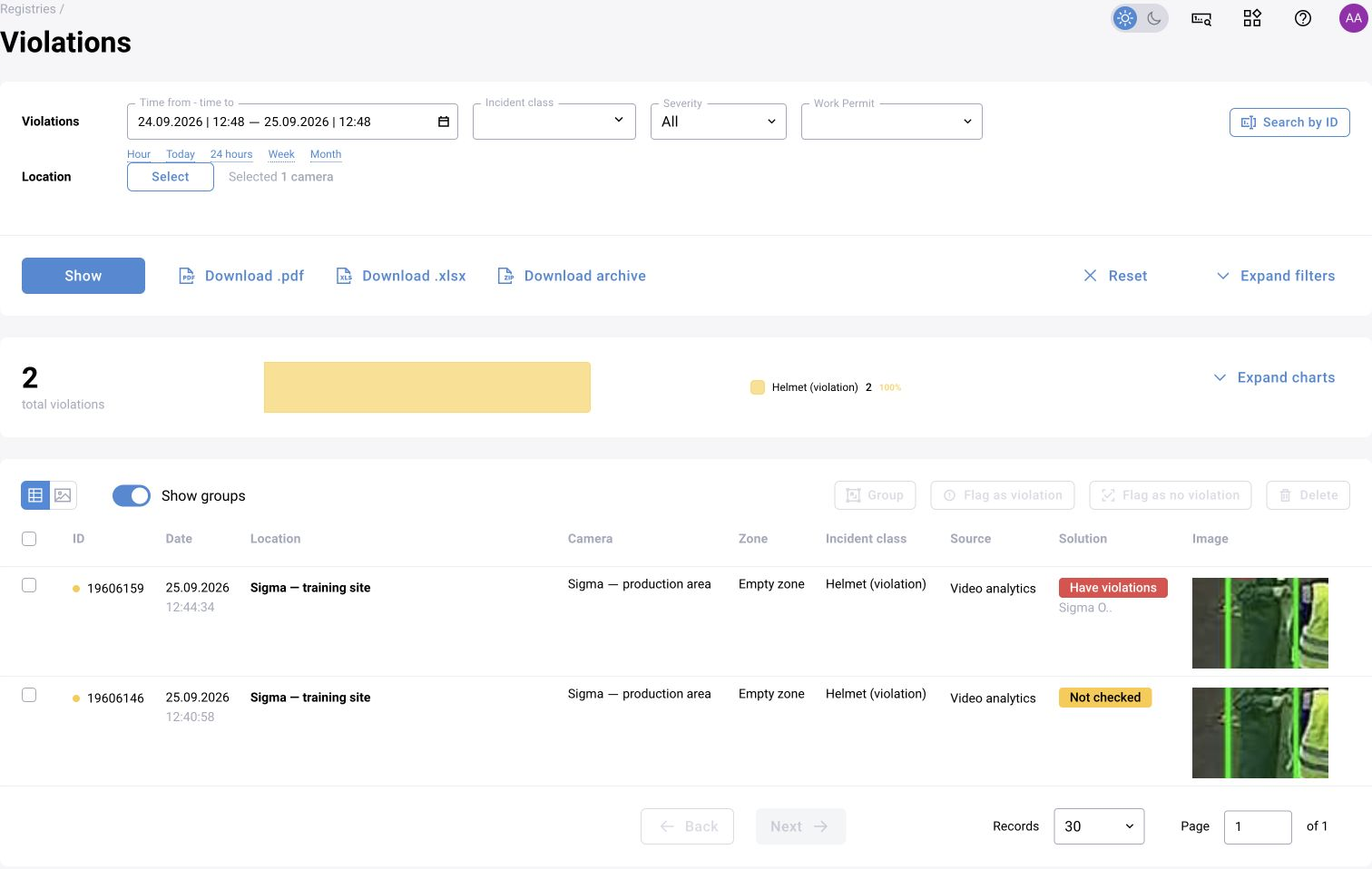
Review the evidence
Open the event or incident record and inspect the available frame, video and operational context. Check the source and time and distinguish a model observation from the scenario’s business-event conclusion.
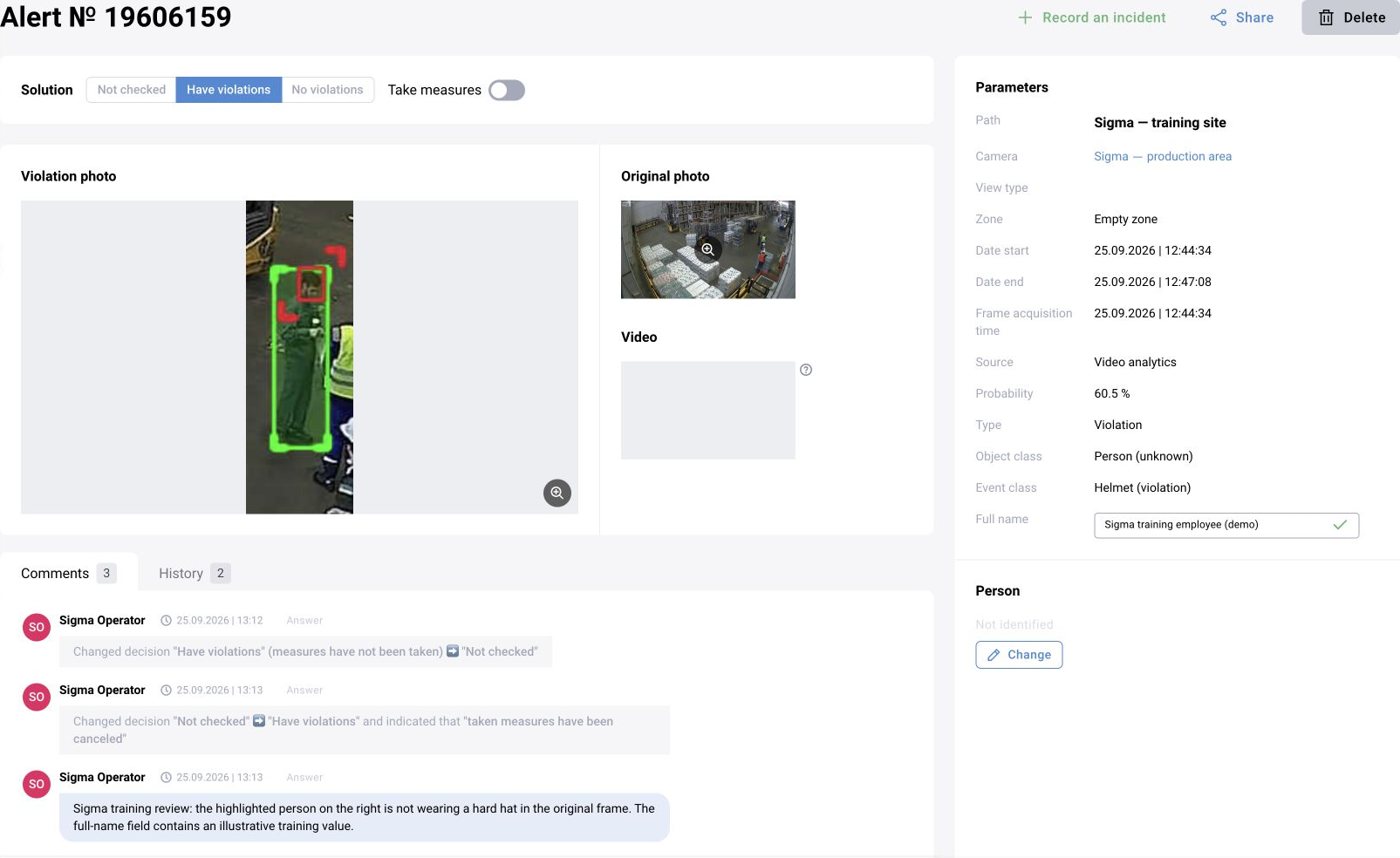
Record the decision
Use the configured verification statuses and comments to record a review. The exact state names and allowed transitions are defined by the delivery. Preserve auditability when updating a decision or associating related events.
Report and integrate
Reports and external consumers should use the agreed event and decision fields. Define how a verification change reaches a downstream system and what happens if the media is missing or has expired.
Learn from operator feedback
Review false events, repeated notifications and ambiguous episodes with the development team. Operator confirmation rates are operational feedback; they do not replace labelled evaluation of missed and false events.
Event meaning, evidence and audit boundaries
An event records a relevant operational or technical fact; a violation records a monitored failure to follow a rule. Separate logs prevent technical signals, user actions and safety violations from being treated as equivalent. Keep the incoming event, model interpretation and review decision distinguishable.
An audit log records changes but does not by itself establish legally immutable evidence. Protection, retention and investigation requirements must be specified for the project. Audit login, IP address and full name are access-controlled data, not information needed for public analytics documentation.