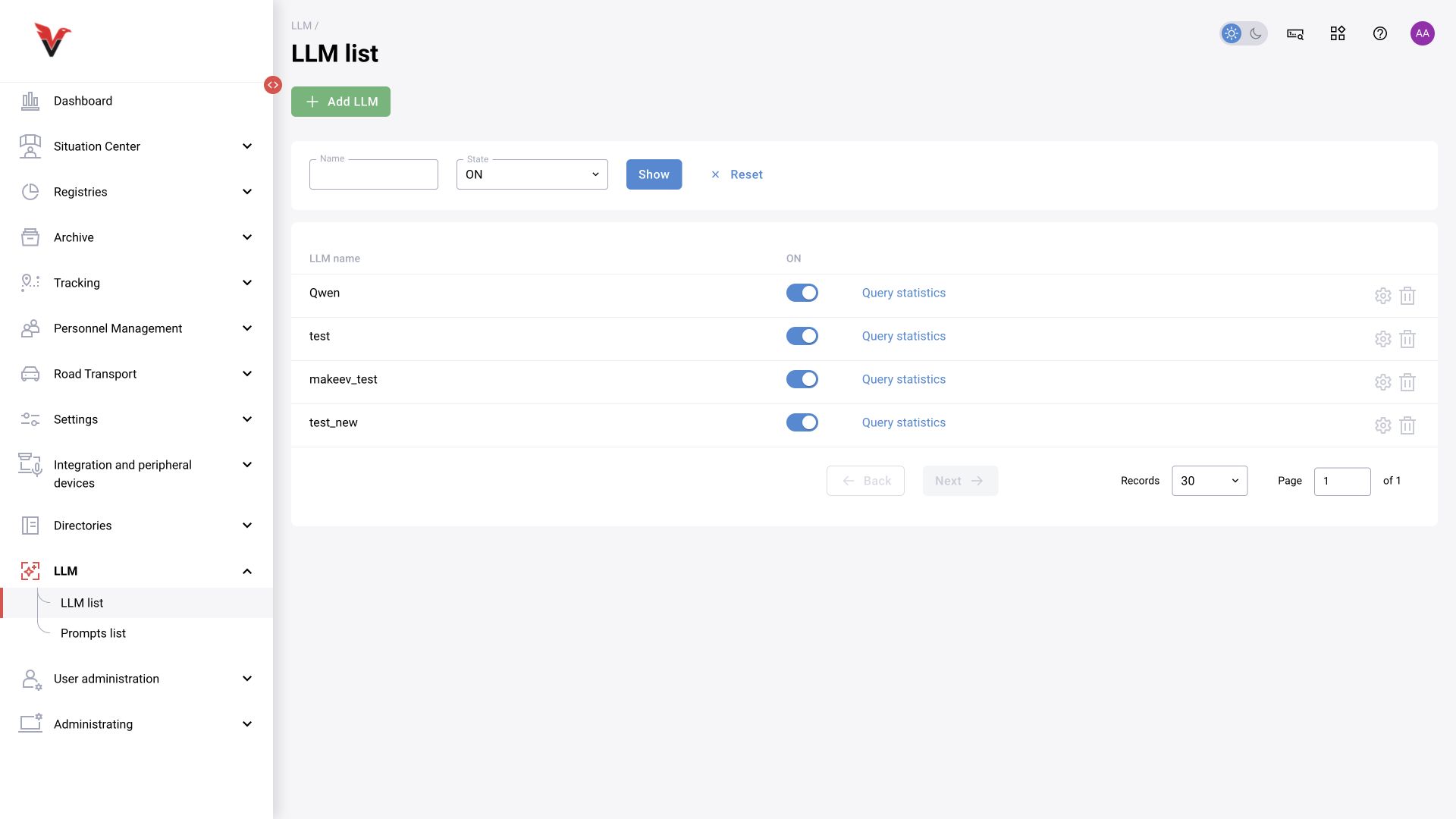
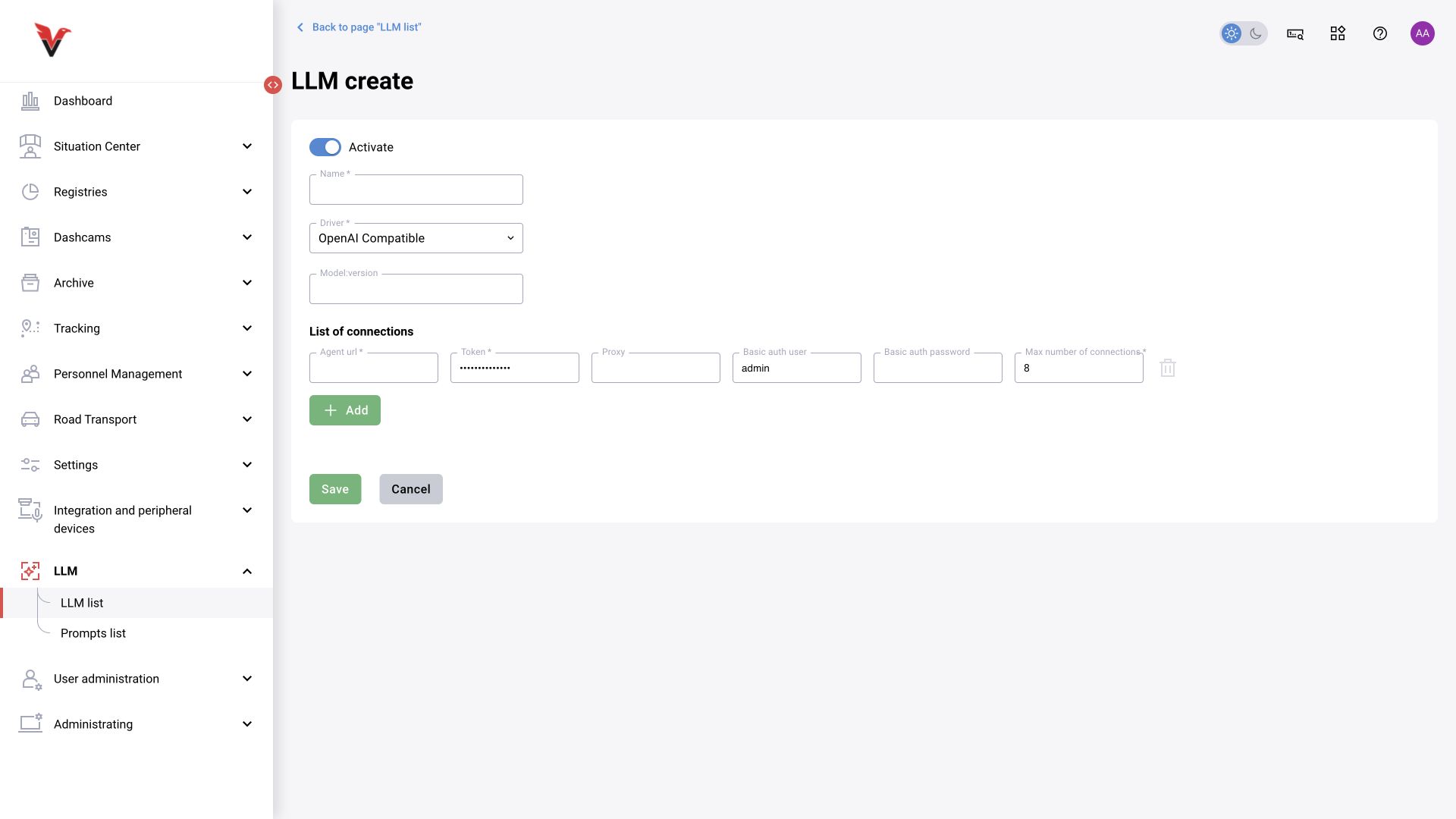
LLM list and model connection
Path: LLM → LLM list, /llm.
Filters are name and state; apply them with Show. To create a connection, click Add LLM.
| Field | Meaning | What to enter |
|---|---|---|
| Activate | Allows this entry to be used | Enable after verifying the connection |
| Name* | Connection name in BOX | Sigma — frame analysis model |
| Driver* | Communication protocol | Not specified, Simulator, Ollama, OpenAI, RAG, and OpenAI Compatible are the options in the current form |
| Model : version | The service's model/version identifier | The exact value supplied by the service administrator; the display name of the BOX entry does not replace it |
| Agent URL* | Service/agent address | An address in the format required by the selected driver. Do not arbitrarily append /v1 or /chat/completions to every driver's address |
| Token* | API access credential | The secret issued by the service. It is neither prompt text nor a BOX user password |
| Proxy | An intermediary connection server | Only if required on this network |
| BasicAuth User / BasicAuth Pass | Additional HTTP authentication | Fill in if the ingress gateway uses Basic Auth |
| Max. connections* | The parallel-request limit for this connection | A number agreed according to the service's resources. Increasing it does not automatically speed up an overloaded model |
| Add connection | Another working connection instance | For a supported configuration using multiple addresses/instances |
In the API, connections are represented by an array work_instances. The API default and the number already displayed in the form can differ; do not present either as a universal recommendation.
Simulator is intended for debugging the workflow and does not validate real analysis quality. RAG uses additional context in the supported integration; preparing the knowledge base and the RAG contract requires more than selecting this option. The presence of a driver in the list does not establish that the corresponding external service is available.
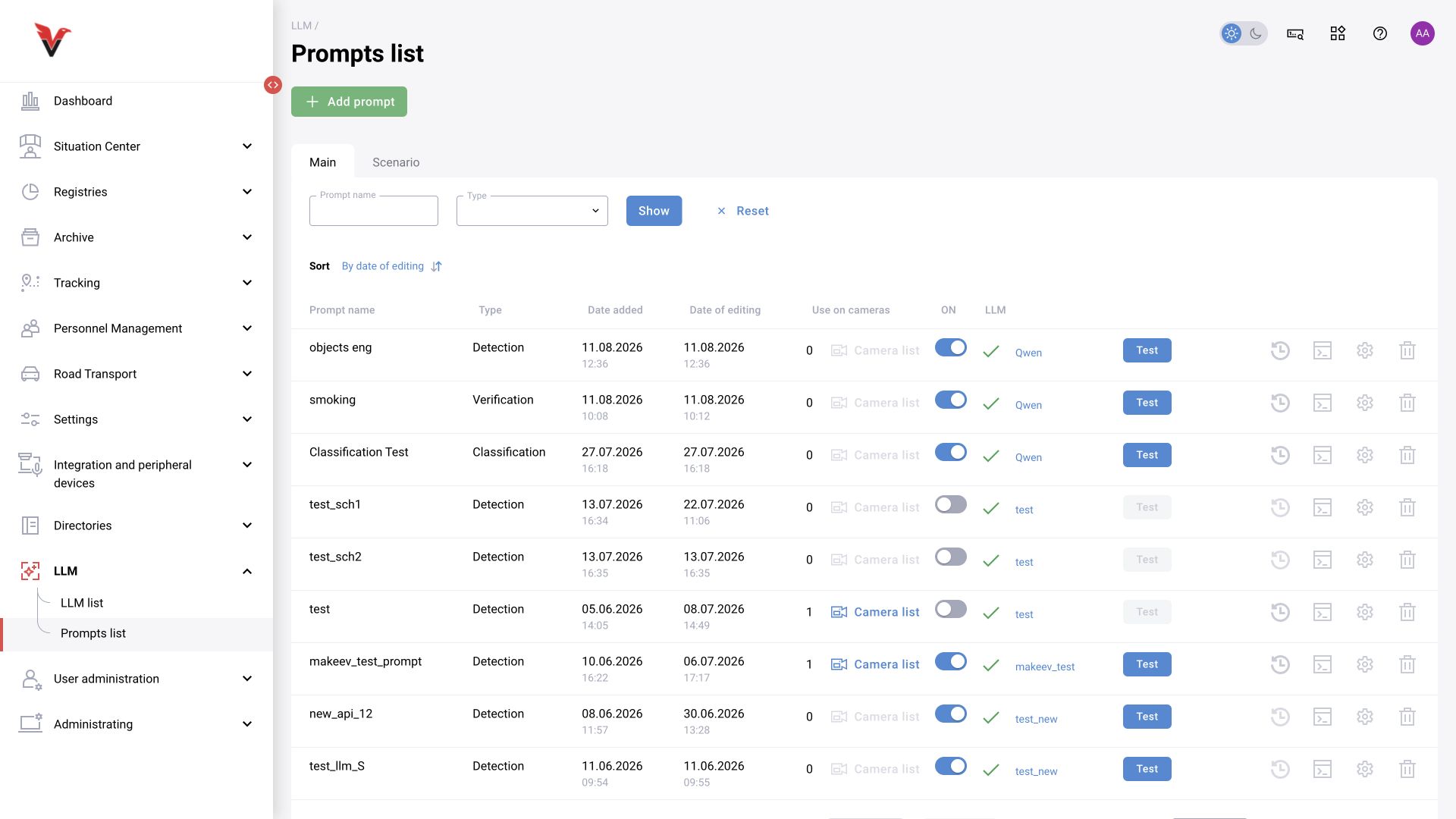
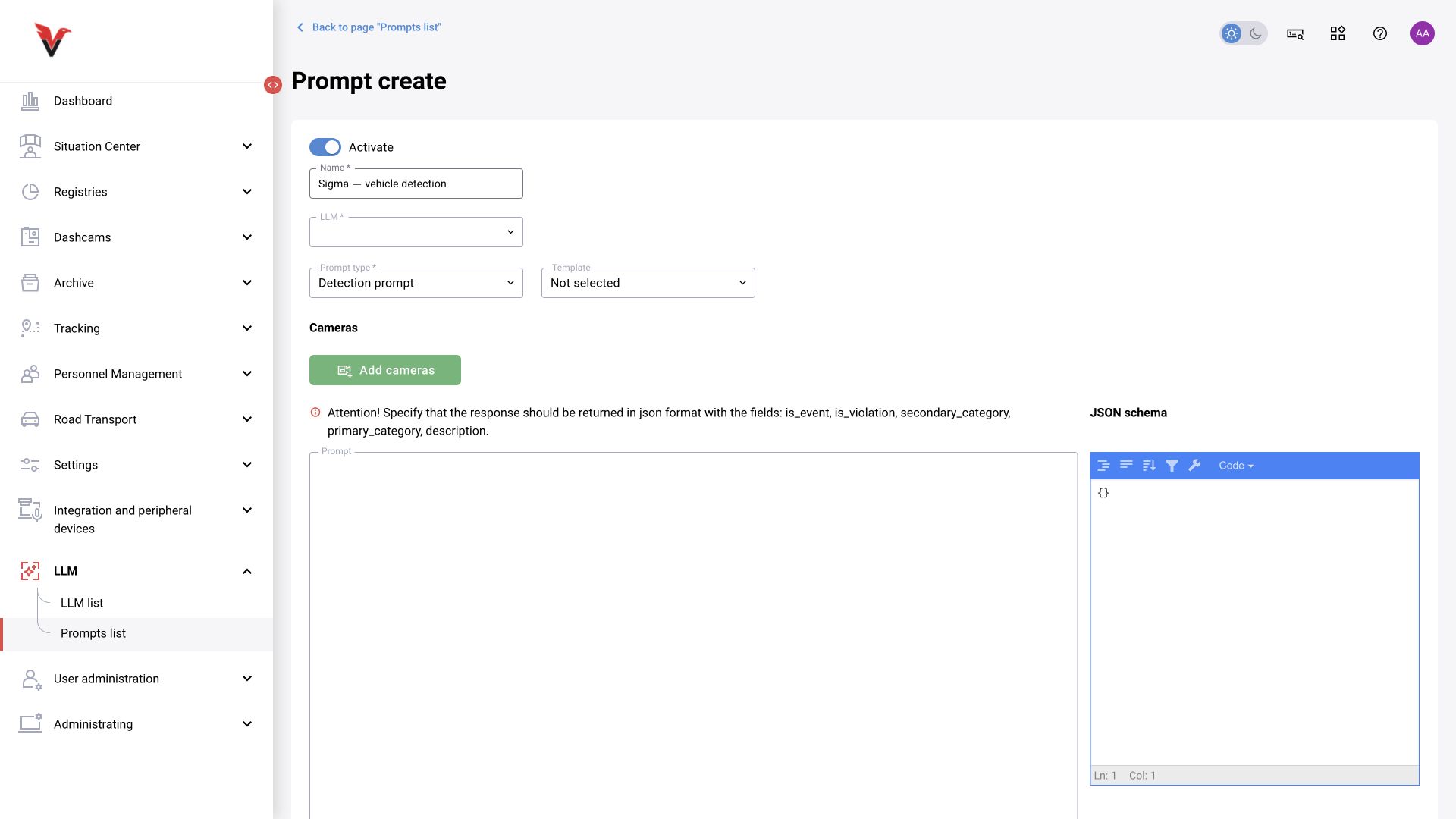
Prompt list and common form
Path: LLM → Prompt list, /prompts.
Filters are prompt name and type, with sorting by modification date. Add prompt creates a model instruction linked to sources.
| Field | Meaning and how to fill in |
|---|---|
| Activate | Enables the prompt; disabled text can be kept as a prepared configuration |
| Name* | Task and scope: Sigma — snow on the access road |
| LLM* | A previously created model connection |
| Prompt type* | Classification, detection, verification, and construction progress are the options in the current interface |
| Template | A template for the selected mode; after selection, read and adapt the text and schema |
| Add cameras | Frame sources; each row may have its own run parameters |
| Prompt | Task text: what to look for, what does not count as a target case, how to handle uncertainty, and what response to return |
| JSON schema / structure editor | The machine-readable response contract. Fields and types must match what BOX processes |
| Outline event object | In verification mode, the bounding box of the original event on the frame, helping identify the object to review |
| Additional bounding-box/frame parameters | The API supports color, thickness, expansion, and coordinate normalization; the availability of specific form controls depends on the mode |
The instruction determine whether there is a violation is too vague. A better structure is: observed object → criterion → exclusions → actions for poor visibility → strict response structure. Update the prompt and JSON schema together.
Version information. The API and closed issue BOXD-5030 describe prompt version history. This is useful for reproducibility: record the configuration version/date when comparing results. The existence of this API schema does not mean every creation form has a visible history button.