Sigma workshop: the first visible result
Task: detect people and hard hat indicators in footage from a production zone. The result at this stage is correct bounding boxes; events are added at the next stage.
- Prepare an asset containing a short video with clearly visible people with and without hard hats. Record the expected frames.
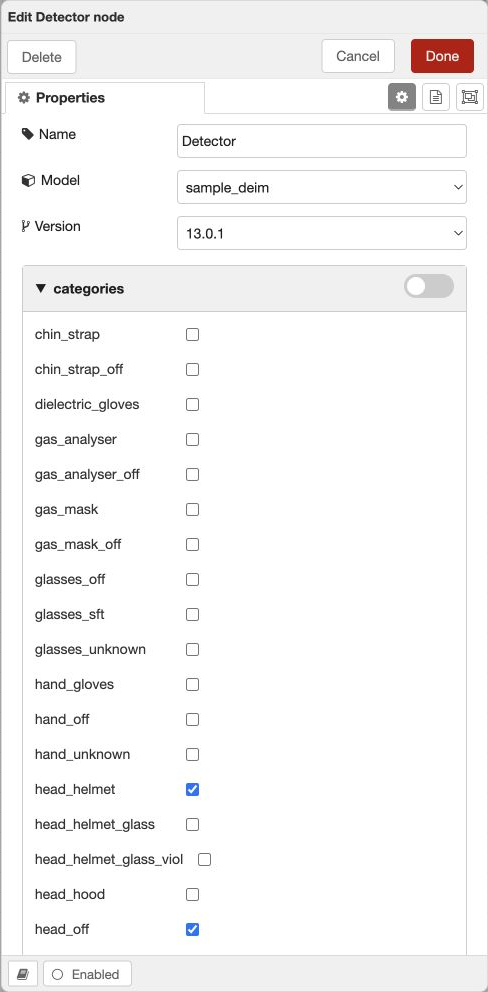
- Find a model with the required categories. In the training example, these are
person,head_helmet,head_off,head_unknown; other models may use different codes. - Create the scenario “Sigma — PPE monitoring” and describe its purpose and view limitations.
- In the draft, connect Video Frame → Detector → Local Visualizer.
- Set the frame rate and dimensions according to the material. In the detector, select the model/version and the listed categories. Align the topics.
- Deploy, upload the file and start processing. Check boxes and confidence on positive and negative examples.
- Save the logic in the scenario and record the test parameters.
If a person’s head is too small or occluded at this stage, first correct the observation conditions or choose a suitable model. A temporal filter cannot create missing visual features.