
Graph editor: workflow
Open the draft version → “Configure operating logic”. The page contains video/image testing and a Node-RED editor; the panels can be collapsed and expanded independently.
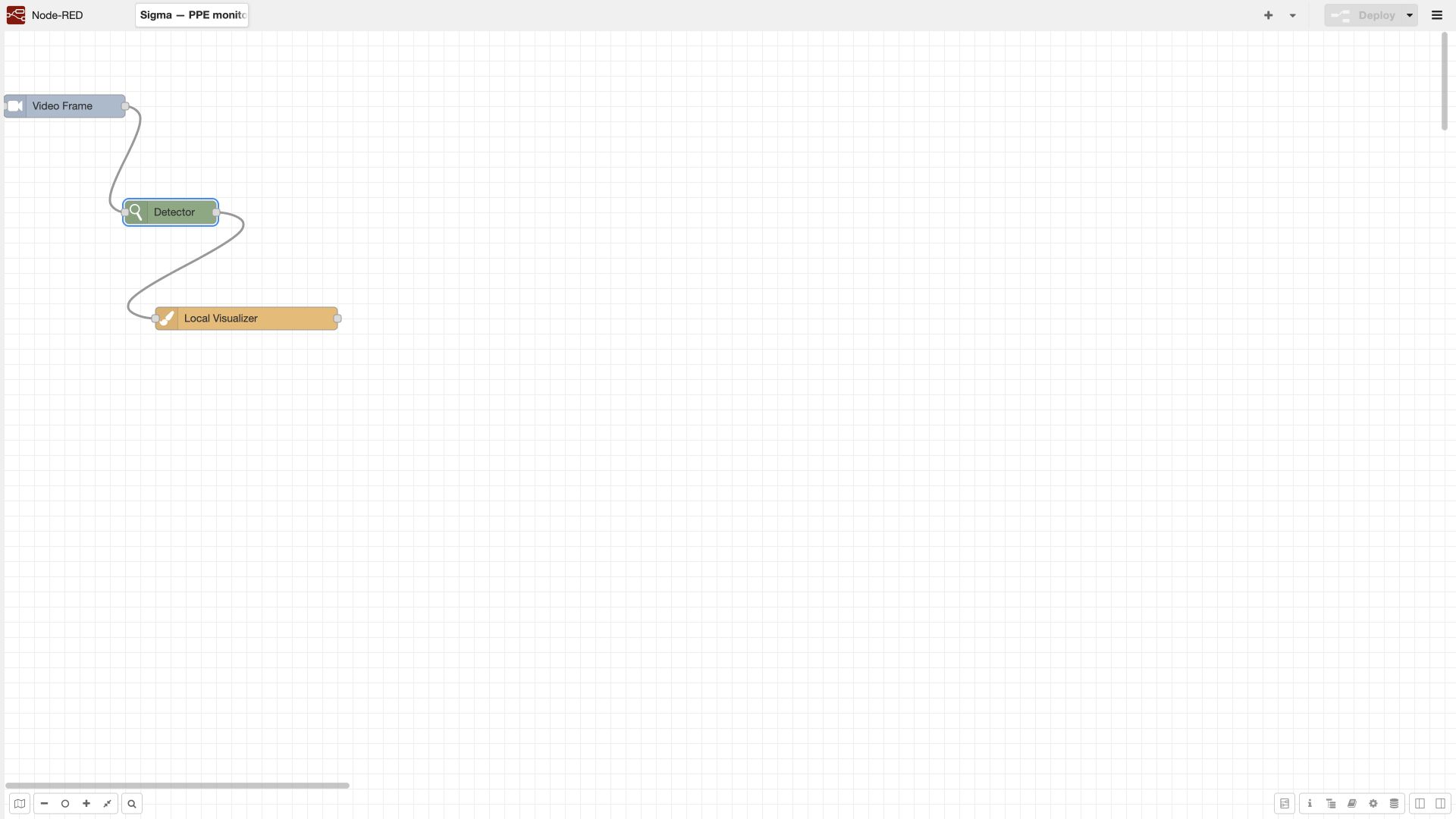
- Find a node in the palette on the left and drag it onto the workspace.
- Double-click to open the node parameters. Enter a name, model/version if required, and parameters. Click “Done” to accept the changes in the graph, or “Cancel” to close the form without them.
- Connect the output of one node to the input of the next. Check the connection direction and port purpose, especially on filters with two outputs.
- Add a local visualizer to the stage you are checking. If necessary, temporarily break the chain into parts for inspection.
- Click “Deploy” inside the editor to apply the graph in the current debugging environment.
- Test with a prepared file. Fix the cause at the stage where the data first becomes incorrect.
- Click the outer “Save changes” button to save the logic in the scenario version.
- Return to the card. Check dependencies, description and result type. Save the draft or publish the prepared version.
| Action | Result | What remains to be done |
|---|---|---|
| Done in node properties | Parameters are accepted into the graph being edited | Deploy and test the graph |
| Deploy | The graph is applied in the editor/sandbox | Save the logic in the system |
| Save changes | The logic is written to the version | Complete the description, test and publish |
| Save and publish | The release is available for assignment | Assign it to a camera and check execution |
| Save camera assignment | An operational version is selected for the source | Check the actual start and complete result |
This distinction is explicitly described in the Platform 4.0 operating document. Leaving the editor after only clicking “Deploy” may lose work that has not been saved to the version. When opening a published version, saving changes may be unavailable; create a new version.
The “Refresh zones and models from the resource service” button refreshes the resources available to the editor. The button’s historical service reference does not mean that every BOX installation requires an external customer resource service. After refreshing, recheck the selected versions and zone identifiers.
Data contract between blocks
The graph passes a message, msg, containing processing results. In the interface, the message fields are called topics. Here, these are data keys between nodes; they are not the same as the Kafka topics in the platform architecture.
| Topic / data | Purpose | Typical mistake |
|---|---|---|
image |
Current frame | The next block reads a different name or a frame region that has already been cropped |
image_timestamp |
Frame timestamp | Comparing file time with the server’s current time |
frame_index |
Frame number in the source | Using it as the processed step number after frame skipping |
step_index |
Processing step number | Incorrectly converting history length to seconds |
camera_id |
Source | Mixing state from several cameras |
image_id |
Associates results with the frame | Merging branches from different frames |
camera_params |
Camera parameters and zones | A zone is visible in the picture, but its type is not what the graph expects |
detections |
Detected objects: categories, confidence, geometry | Expecting a stable object identifier from ordinary detection |
tracks |
Objects linked over time and their history | Confusing bounding boxes from a single frame with tracks |
events |
Generated events | Passing tracks to the sender instead of events |
visualized_image |
Frame with overlays | Treating the absence of drawn boxes as the absence of detections |
The names above are used in the documentation and standard blocks. If you change an output topic, change the corresponding input of the next node. The actual nested field schema depends on the block version; for programmatic extensions, consult the “Message log” and the installed package’s contract.
Time and frames. At a stable rate of 2 processed frames/s, a history of 180 steps corresponds to roughly 90 seconds of observation. At 5 frames/s, the same history is roughly 36 seconds. This is an estimate, not a timer: use timestamps when frames are skipped or the rate varies. “30 seconds” and “30 frames” cannot be transferred between blocks without conversion.
Geometry. Camera parameters may provide zones in normalized coordinates, while minimum detection sizes are specified in pixels of the processing image. Check scaling, cropping and the coordinate system before comparing zones with bounding boxes. Retest size thresholds after changing the input dimensions.
Branches. A shared detector can be placed before a branch if the branches can use the same categories, frame size and execution profile. When merging branches, preserve the frame association and do not treat merging lists as automatic synchronization of independent streams.