Types, required fields and identifiers
requiredmeans that the key must be present in the request. This does not always prohibit an empty string: a separateminLengthor server-side validation is needed.null, a missing key, an empty array and an empty string may be handled differently. Do not use them interchangeably.id,uuid, a name and a human-readable title are different fields. Obtain the ID from the catalog response, not from the row number.- Do not mix percentages, fractions from 0 to 1, pixels and normalized coordinates. The value
80in the UI field “Threshold, %” cannot automatically be copied to an API field expecting 0.8. - An integer time field does not reveal its unit. If the schema/description does not specify seconds, milliseconds or local time of day, check the operation contract.
- For paginated responses, process all pages and reconcile the total record count. Distinguish an empty result from access denial and a server error.
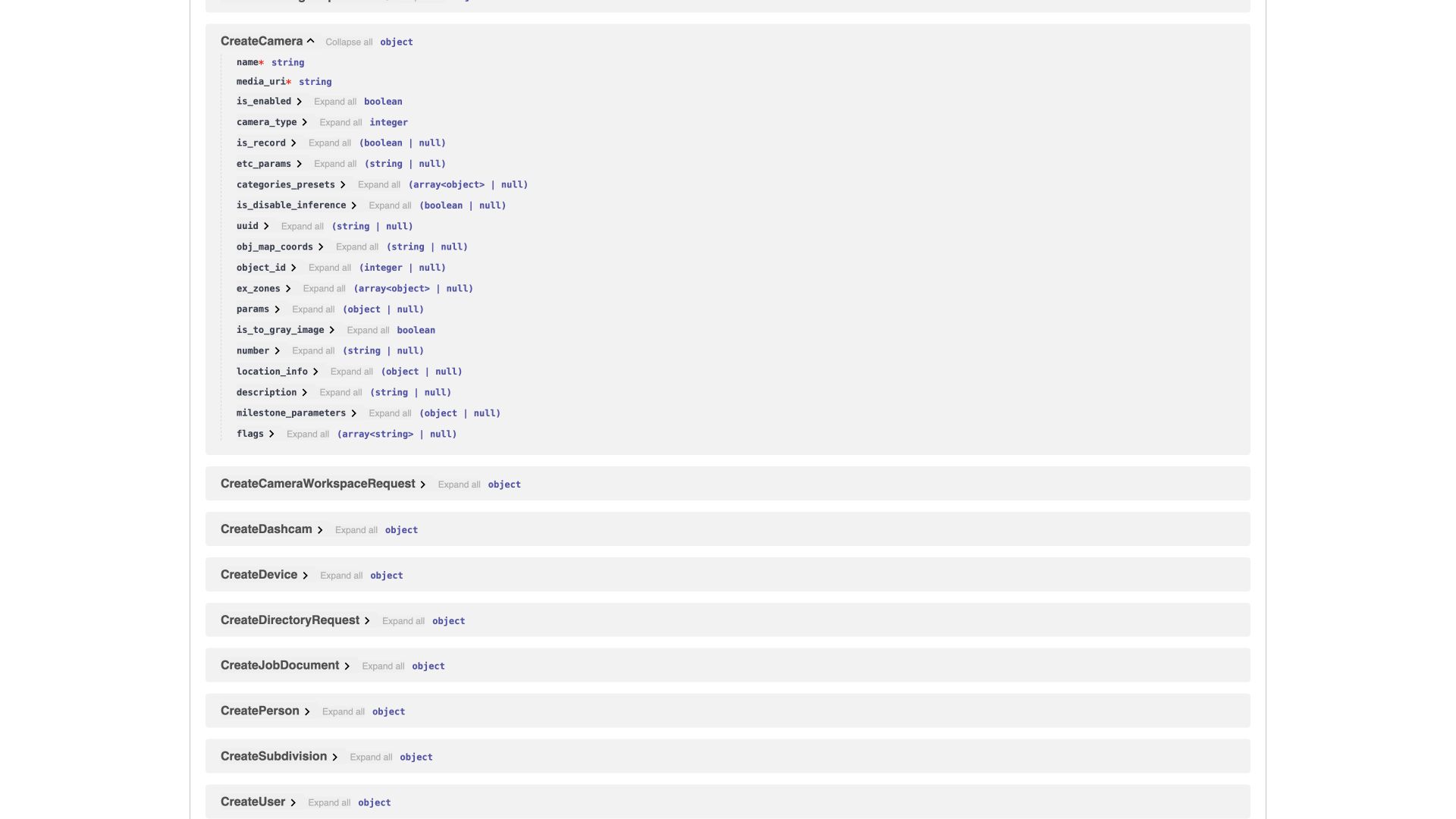
On screen: Required fields and data types in the CreateCamera example.
Camera — CreateCamera
| Key | Type / value | Correspondence |
|---|---|---|
name |
string, required | Name |
media_uri |
string, required | Source address/identifier; format depends on the type |
camera_type |
CameraType |
Connection type |
is_enabled |
boolean, default true | Camera enabled |
is_record |
boolean or null | Video recording |
is_disable_inference |
boolean or null, default false | Inverse flag: true disables analytics |
is_to_gray_image |
boolean | Monochrome conversion |
object_id |
integer or null | Parent site |
categories_presets |
array of CategoriesPreset or null |
Assigned presets |
etc_params |
string or null | The JSON for additional parameters is passed as a string in this schema |
obj_map_coords |
string or null | Serialized placement on the plan |
location_info |
object LocationInfo |
Coordinates/height/level and related parameters |
number |
string or null | Additional source number |
params |
DetectorParams or null |
Special detector parameters, including thermal detector parameters |
The CameraType enumeration in the schema is broader than the user-facing list: RTSP_UDP=0, RTSP_TCP=1, SNAPSHOT=2, XMEYE=3, JETSON=4, MOBOTIX_TR=5, MULTIFILE=6, V4L2=7, DASHCAM=8, VIRTUAL=9, MEDIAMTX=10, MILESTONE=11, GENERIC_CAMERA=12, HLS=13. The UI may combine technical variants under one name, such as “Fixed camera”.
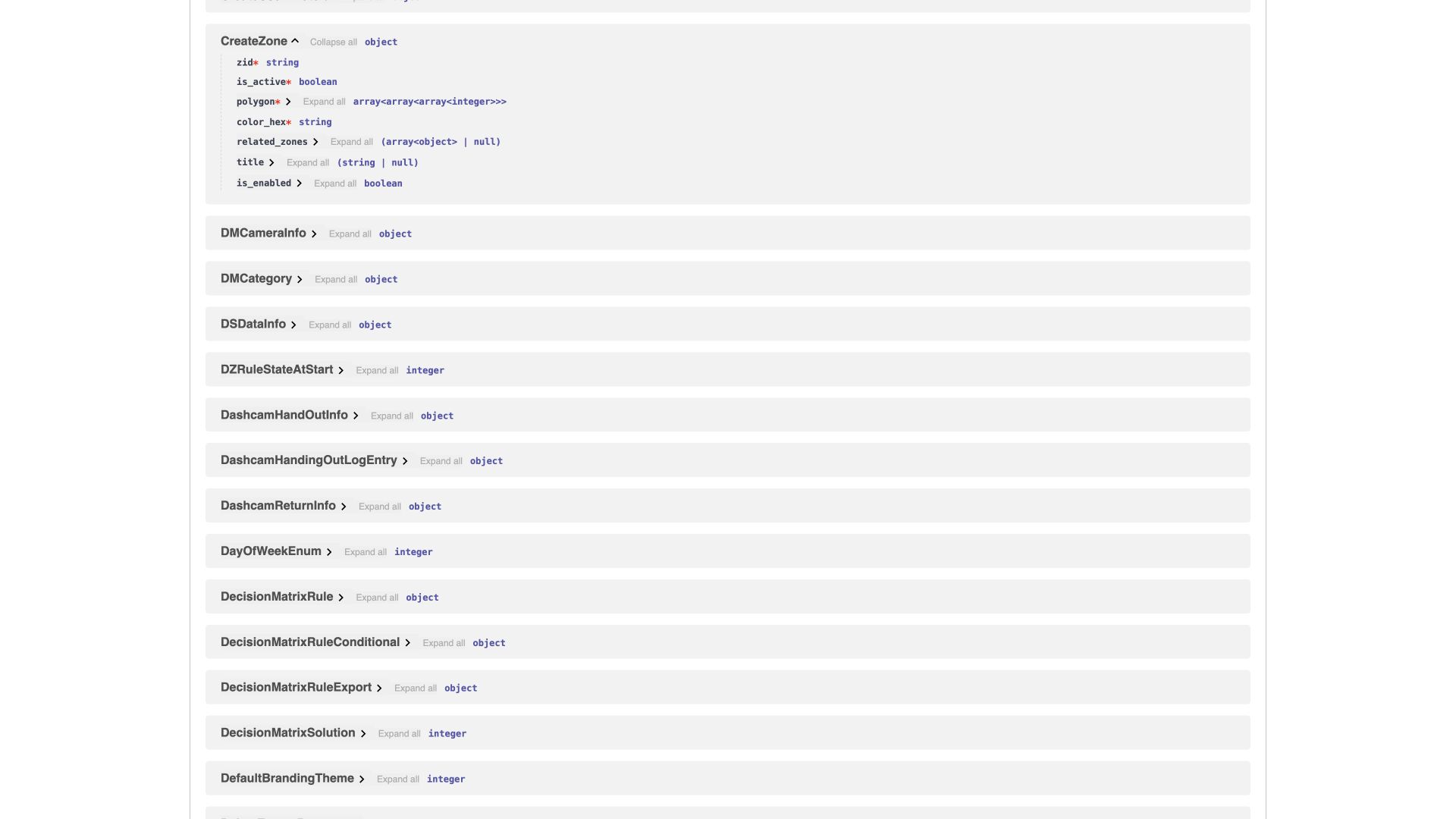
Zone and preset
| Schema / key | Meaning |
|---|---|
CreateZone.zid |
System zone type, required; this is not a user-defined name |
CreateZone.is_active |
Required activity flag in the API model |
CreateZone.polygon |
Required nested geometry: arrays of integer coordinates. Obtain the axis order and coordinate system from the editor/operation contract |
CreateZone.color_hex |
Required HEX color |
CreateZone.title |
Human-readable name |
CreateZone.is_enabled |
Separate flag, default true; do not use it in place of is_active without understanding the operation |
CategoriesPreset.name, description |
Set name and description |
violation_categories, event_categories, detection_categories |
Arrays of categories, separated by purpose |
cameras_ids |
Array of IDs of cameras using it |
is_enabled |
Preset state in the API schema |
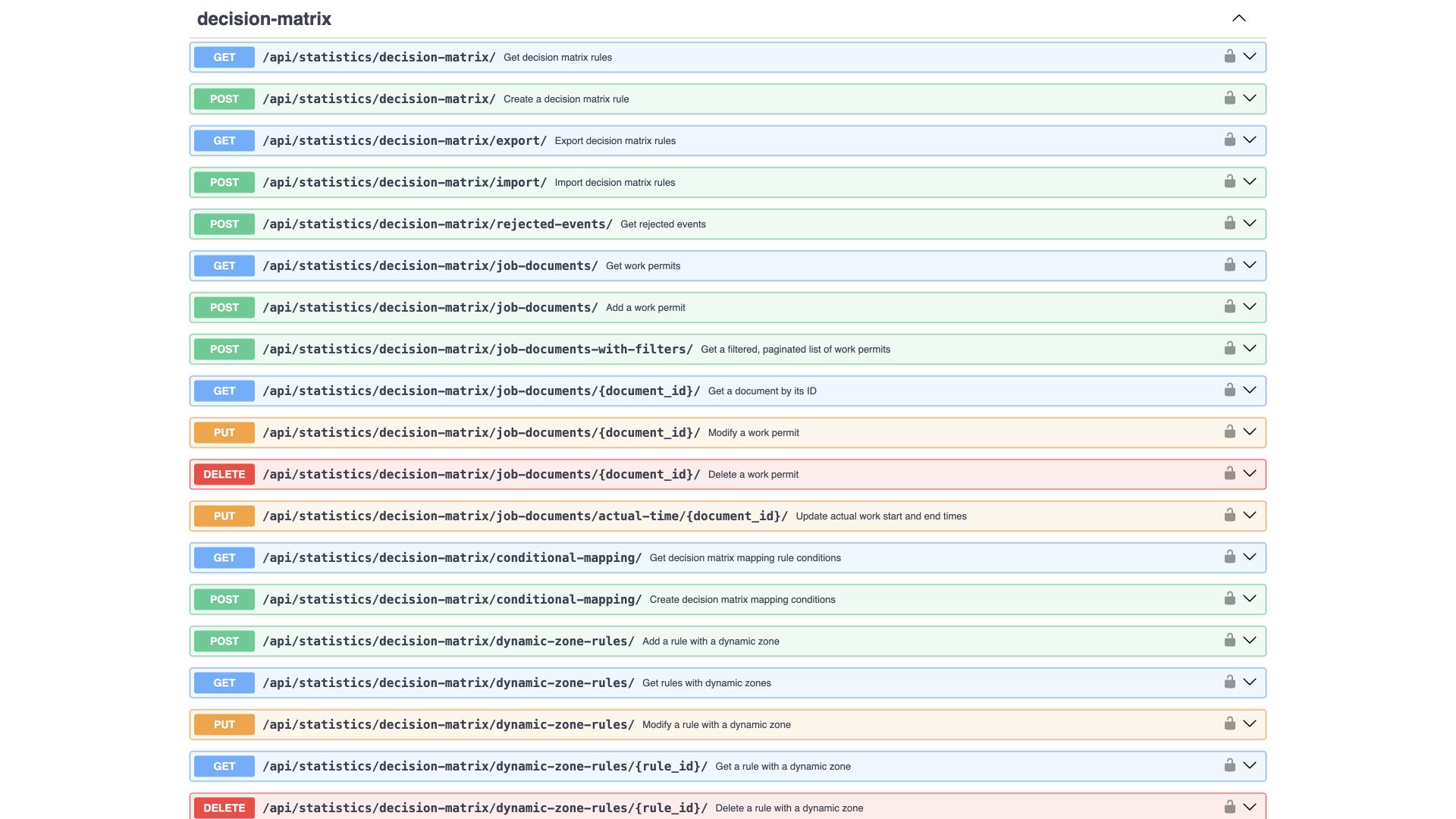
Decision matrix — MatrixRuleRequest
Required fields are priority and event_threshold. camera_ids is an array, while camera_id is a separate legacy field; follow the current operation contract and do not pass conflicting values in both. primary_category/secondary_category and their multiple-value variants are represented as strings in this model; do not convert a multiple-value string into an arbitrary array without checking the schema.
time_from/time_to have an internal default value of −1; this is not “minus one second” in the user schedule. cron_datetime contains the calendar condition, person_violator_ids is the list of persons, recognized is a recognition parameter, status is a separate state structure.
DecisionMatrixSolution: 0 — REJECT, 1 — COMMIT_VIOLATION, 2 — SET_TYPE_EVENT, 3 — SET_TYPE_VIOLATION. Do not interpret the code name COMMIT_VIOLATION on its own as requiring reclassification as a violation: according to the functional description, the user action “Record” preserves the original type.
Persons, users and work permits
| Schema | Key fields and differences |
|---|---|
CreatePerson |
Required keys are personnel_number, firstname, surname, patronymic. The schema has no minimum length restriction for patronymic, and the current UI form does not require a patronymic. position is nullable in the API, although the UI requires a job title. subdivision_id, images, is_works specify the department, images and status |
CreateUser |
Only username is required at this model level; the UI requires more details. roles_v2/roles_v2_configs belong to the role model, ui_lang/ui_theme_type to the interface, telegram_username/vkteams_username to the channels. Do not confuse a user with a person |
CreateJobDocument |
Required fields are document_type, document_number, is_active. Planned job_time_from/to are separate from actual actual_time_from/to; workers contains worker IDs; camera_storage_zone_ids contains zone IDs; persons_count is the number of people |
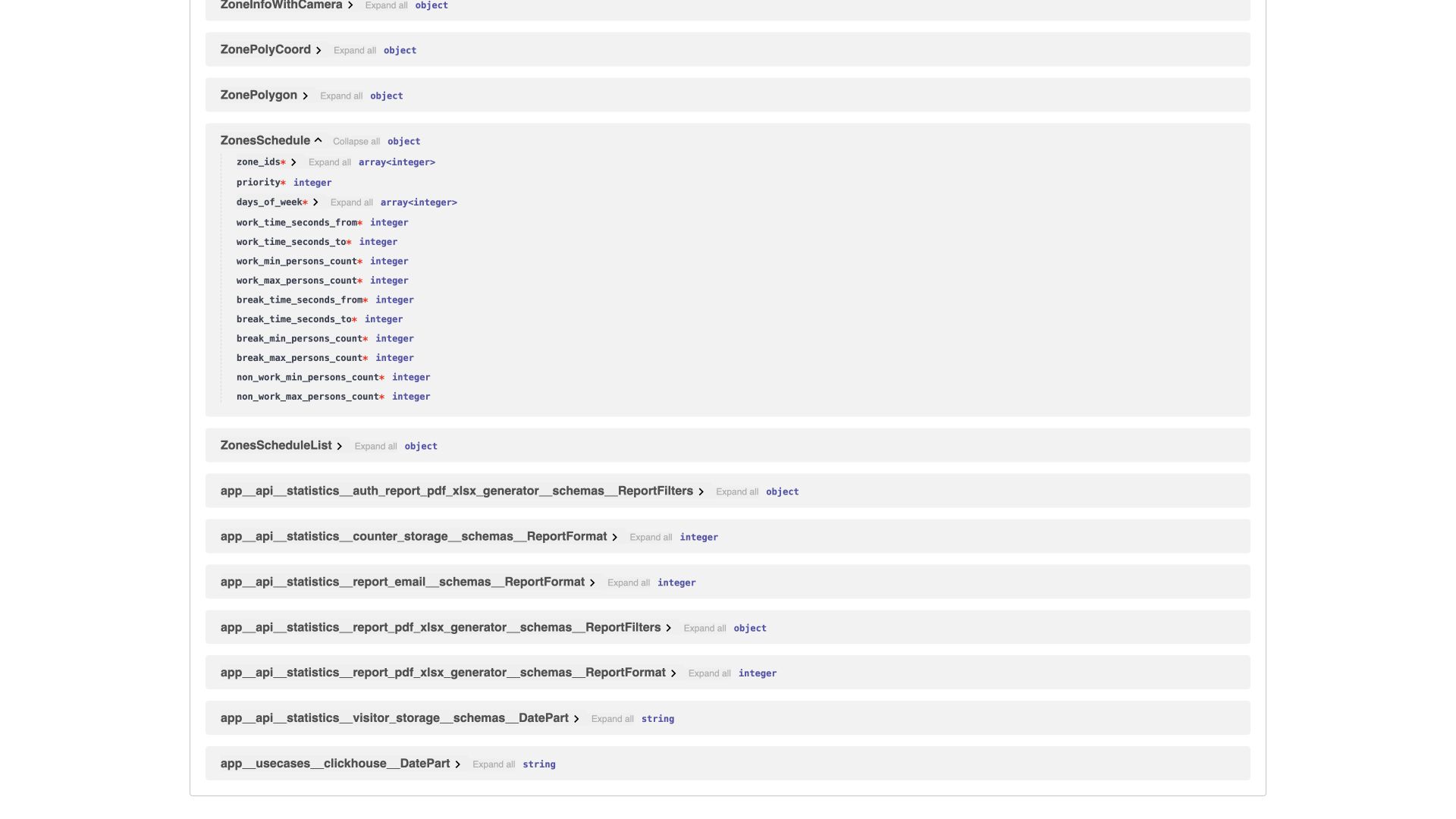
Presence schedule — ZonesScheduleList and ZonesSchedule
The outer structure contains time_zone and the schedules array. Each row requires zone_ids, priority, days_of_week, working time and break boundaries, and minimum/maximum headcounts for working time, breaks and non-working time.
The fields work_time_seconds_from/to and break_time_seconds_from/to explicitly use seconds since the start of the day under the schedule contract, rather than the text 08:00. For 08:00, the value is 28800; the time zone comes from the outer structure. ObjectVisitResetSchedule.day_seconds similarly specifies the daily reset time. Do not use such a number as an absolute Unix timestamp without checking the operation.
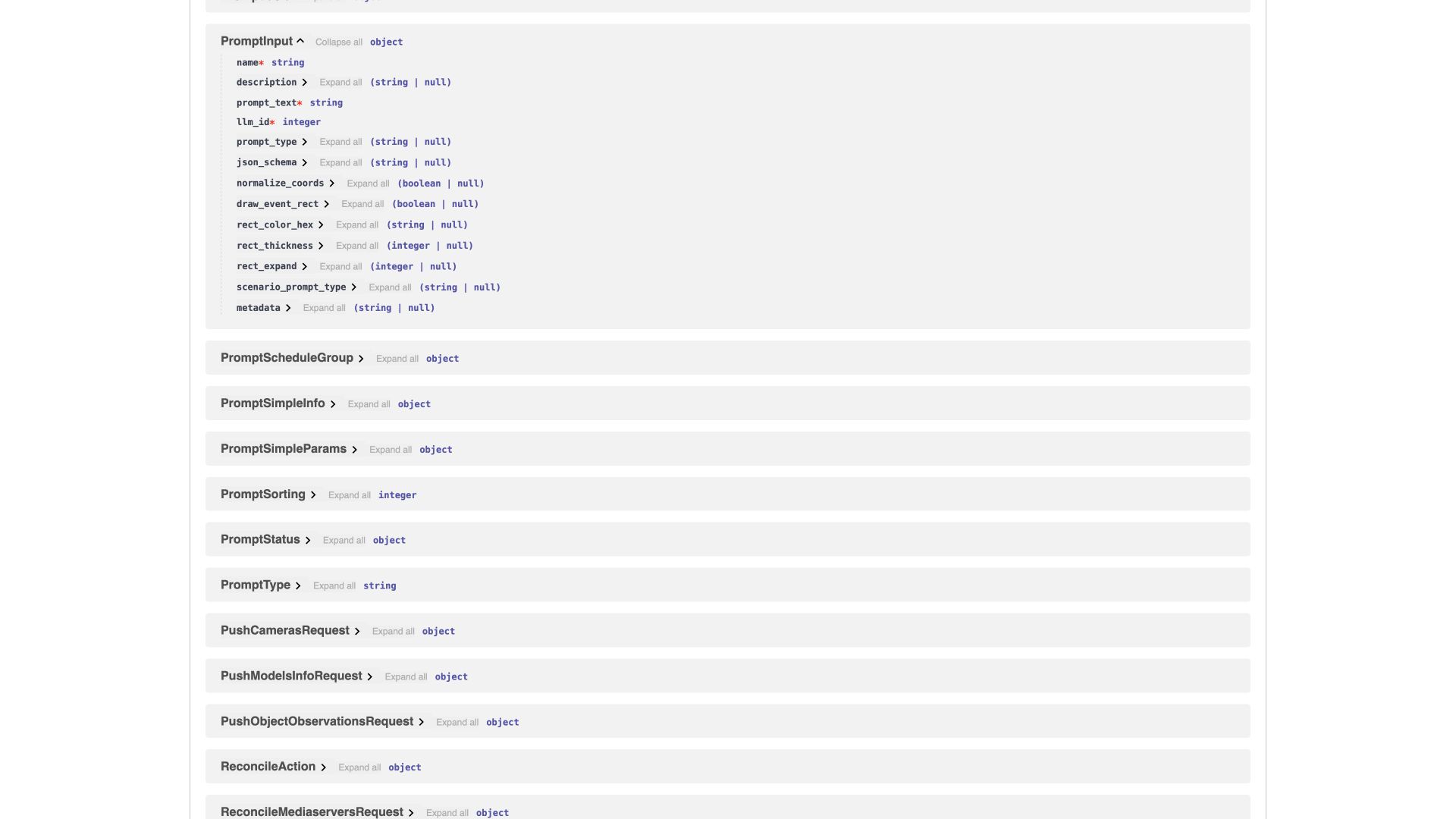
LLM, prompt and camera schedule
| Schema / key | Meaning |
|---|---|
LLMInput.name |
Required connection name |
llm_driver, llm_model, llm_version |
Driver and model identifier |
work_instances |
Array of connections of type WorkInstance |
WorkInstance.agent_url, token, url_proxy |
Address, access secret and proxy |
basicauth_user, basicauth_password, max_connections |
Additional authentication and connection limit |
PromptInput.name, prompt_text, llm_id |
Required name, instruction and model ID |
prompt_type |
Prompt purpose. The API also includes scenario_execution; there is no separate option for this in the inspected BOX 3.2 form |
json_schema |
A string containing a JSON schema or null, rather than a JSON object directly in this model |
normalize_coords |
Coordinate processing according to the contract |
draw_event_rect, rect_color_hex, rect_thickness, rect_expand |
Drawing and parameters of the original event’s bounding box |
metadata |
Additional data in a JSON string representation |
CameraPromptSchedule.camera_id |
Required camera ID |
type, interval_value, week_day, time |
Settings for the selected frequency |
event_category |
Category for event-triggered runs |
cron_interval, cron_intervals, second_interval |
Additional/compatible API schedule variants; do not populate all of them at once without a contract |
time_range_start, time_range_end |
Daily time range boundaries; the UI displays UTC |
is_crop, crop_cords |
Use of a frame crop and its coordinates |
frame_buffer_size |
Frame buffer parameter for the intended route |
EventConfirmationStatus contains 0=ALL, 1=NO_STATUS, 2=CONFIRMED, 3=DENIED, 4=WITHOUT_REVIEW. ALL is not a substantive model decision. The documented verification example uses 1/2/3; do not expand the response to include every enumeration value simply because it exists in the API.
Integrators can use the operations for retrieving a prompt, its change history, a specific version, a run and its result in the group /api/inference/llm_integration/. Their existence confirms the technical ability to work with the data, but does not replace checking permissions and operation behavior.